# Using The Interactive Curve Tools With Strand Builders

## Combining The Work Flow with Interactive Curve Tools&#x20;

The Interactive Curve Tools will greatly enhance your working experience when working with the Hair Strand Builders. &#x20;

{% hint style="info" %}
Visit to learn more about [Interactive Curve Tools](/maya-groomers-tool/maya-tools/interactive-curve-tools.md)
{% endhint %}

It's highly <mark style="background-color:$success;">**recommended**</mark> that you take 3 minutes to install the Marking Menu to make this workflow even faster!

{% hint style="info" %}
Visit to learn more about [Marking (Radial) Menu](/maya-groomers-tool/start/marking-radial-menu.md)
{% endhint %}

***

## Sculpt

* Sculpt Brush LMB function, sculpts single strand, or multiple strands.

<figure><img src="/files/uqdVP9RRpejNqOtjvEP6" alt=""><figcaption></figcaption></figure>

* CTRL + LMB - Root Snap a strand root to a defined base mesh. Duplicate a strand, and CTRL + LMB to move-to-snap a bit away from the original strand. Creating layers will be super easy and fun this way.

<figure><img src="/files/zMm5eDVrvR3rIvlWlnaE" alt=""><figcaption></figcaption></figure>

* MMB to smooth out any uneven strands.

{% hint style="warning" %}
In Maya 2022, if you manually set to use Python 2, the smoothing function will not work 'smoothly'. Please consider upgrading to Python 3 (default)
{% endhint %}

<figure><img src="/files/ZN7Mz2bJ4aNadj1cLIsf" alt=""><figcaption><p>MMB to smooth curves</p></figcaption></figure>

* With the Sculpt Brush active, now you can quickly adjust the scale and rotation/orientation of any tube/card strands!

<figure><img src="/files/wqUrIiHeZ3s7QRW2r5Z9" alt=""><figcaption><p>You can quickly adjust the strands with the Sculpt Brush (SHFT + MMB (Rotate), or CTRL + MMB (Scale)</p></figcaption></figure>

<figure><img src="/files/g3cnUKSsKQ1zl5VHkBxH" alt=""><figcaption><p>You can quickly adjust the strands with the Sculpt Brush (SHFT + MMB (Rotate), or CTRL + MMB (Scale)</p></figcaption></figure>

***

## Cut

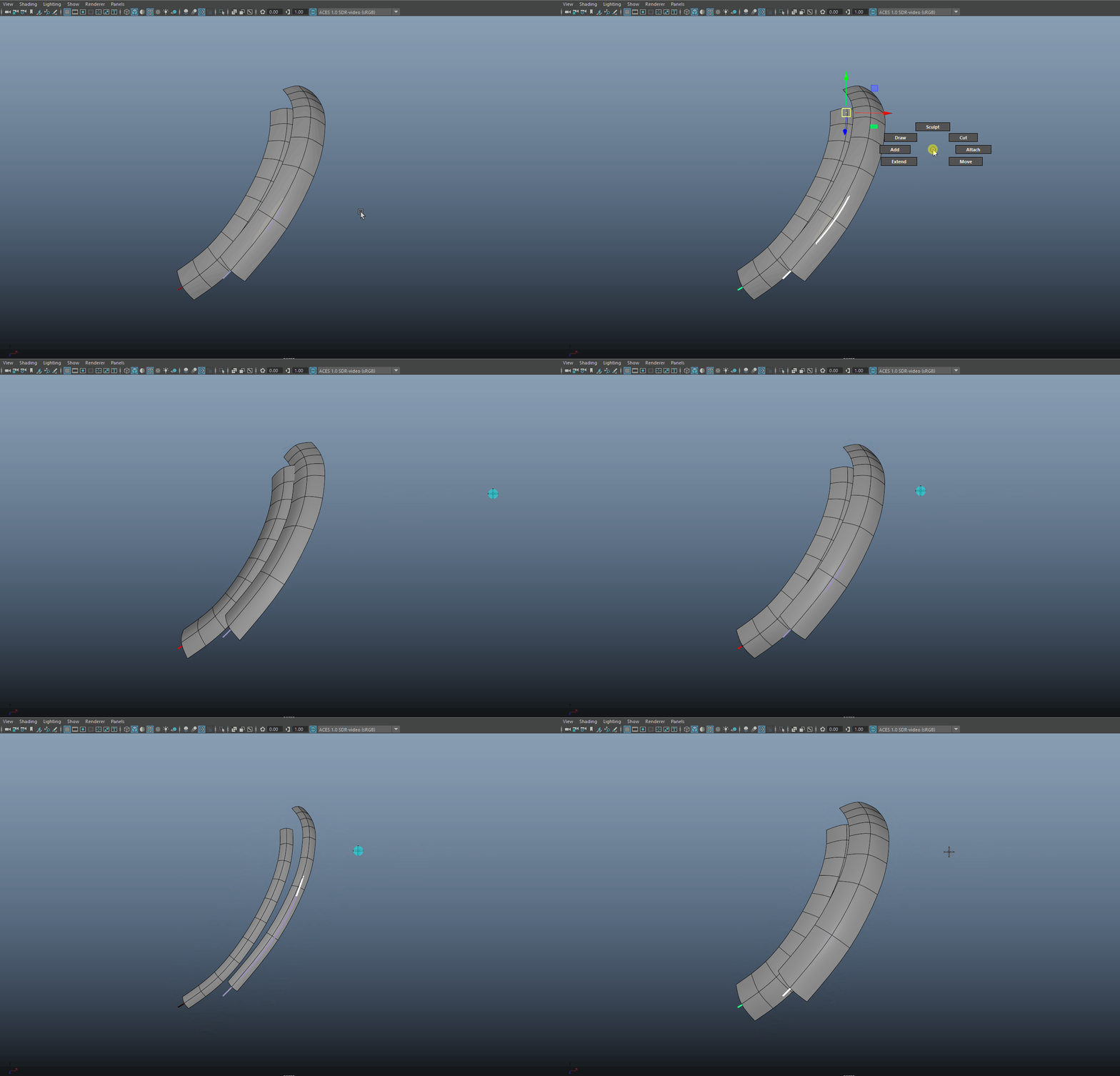
* With the drag-cut tool, you can now create layers of strands very easily.&#x20;

<figure><img src="/files/96cd3OinKvS7l78N9IY0" alt=""><figcaption></figcaption></figure>

***

## Attach

* Sample a section of the curve, and the sampled section will be attached to the end of the curve.&#x20;
* You may need to increase the subdivision of the strand to accommodate for the extended curve.

{% hint style="info" %}
Users have found usefulness on twisty, wavy, curly curves.
{% endhint %}

<figure><img src="/files/4V8LnQsI4HpQzj9YfNQG" alt=""><figcaption></figcaption></figure>

***

## Draw

* With the draw tool, you can also extend the hair strands the way you want it.&#x20;
* You may need to increase the subdivision of the strand to accommodate for the extended curve.

<figure><img src="/files/FjUTOs6kx7pl3JUJAclW" alt=""><figcaption></figcaption></figure>

***

## Geometry Mode Support (Auto Curve Selection)

* When in  Geometry UV mode ![](/files/PhIUDAl7X7u4JNUUvcBa), geometries are displayed and curves are hidden. The Interactive Curve Tool requires curves to be visible to be function. As of V15.02, the tool will detect if it's a Hair Strand Builder strand, and automatically show/hide the curves.&#x20;
* You can select a strand, and trigger the curve by doing any of these:
  * Clicking on an icon in the Interactive Curve Tool UI,
  * Hitting the repeat last step hotkey (Maya Default is the "G" key on your keyboard),
  * Or through the Marking Menu&#x20;
* In geometry mode, existing an interactive tool will automatically hide the curve.

<figure><img src="/files/3eS3jJ3CXARqWjV314El" alt=""><figcaption></figcaption></figure>

***

## Aim Curves

* The Interactive Tools will also work on the aim curve of strands. You can use it to quickly fix some problematic areas as shown in the [Aim Controls](/maya-groomers-tool/maya-tools/hair-strand-builders/aim-controls.md#use-given-normal) page.

<figure><img src="/files/6r5KpzWdbT714P4I08NE" alt=""><figcaption><p>Using the Interactive Sculpting Tool, we can fix both the strand curve, and the aim curve.</p></figcaption></figure>


---

# Agent Instructions: Querying This Documentation

If you need additional information that is not directly available in this page, you can query the documentation dynamically by asking a question.

Perform an HTTP GET request on the current page URL with the `ask` query parameter:

```
GET https://nobraintools.gitbook.io/maya-groomers-tool/maya-tools/hair-strand-builders/using-the-interactive-curve-tools-with-strand-builders.md?ask=<question>
```

The question should be specific, self-contained, and written in natural language.
The response will contain a direct answer to the question and relevant excerpts and sources from the documentation.

Use this mechanism when the answer is not explicitly present in the current page, you need clarification or additional context, or you want to retrieve related documentation sections.