> For the complete documentation index, see [llms.txt](https://nobraintools.gitbook.io/maya-groomers-tool/llms.txt). Markdown versions of documentation pages are available by appending `.md` to page URLs; this page is available as [Markdown](https://nobraintools.gitbook.io/maya-groomers-tool/maya-tools/hair-strand-builders/isolating-strands-or-layers.md).
# Isolating Strands or Layers
The Hair Strand Builders allow you to isolate selected strands, or selected layers so you can focus on specific parts of your groom with ease.
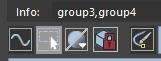
The Isolate icon  can do two things.
* Clicking on it, when there are strand geometries, or curves, selected, they will be isolated.
* Clicking on it again, will return all strands back to visible state.
If you are seeing the Isolate Icon being greyed out, it means there are currently strands/layers being isolated.
## Isolating Selected Strands
* Simply select the curves, or geometries (if in Geometry UV mode), and click on the isolate icon.
## Isolating Single Layer
* Mouse hover on the layer, and MMB click to isolate the entire layer.
## Isolating Multiple Layers
* CTRL or SHFT + click on the layers, so they are highlighted first.
* Then middle mouse click will allow you to isolate the highlighted layers.