> For the complete documentation index, see [llms.txt](https://nobraintools.gitbook.io/maya-groomers-tool/llms.txt). Markdown versions of documentation pages are available by appending `.md` to page URLs; this page is available as [Markdown](https://nobraintools.gitbook.io/maya-groomers-tool/maya-tools/hair-strand-builders/deformers.md).
# Deformers
Using deformers sometimes can help quickly manipulate the shape of strands.
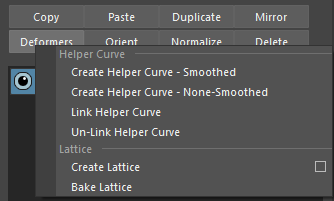
## **Helper Curve**
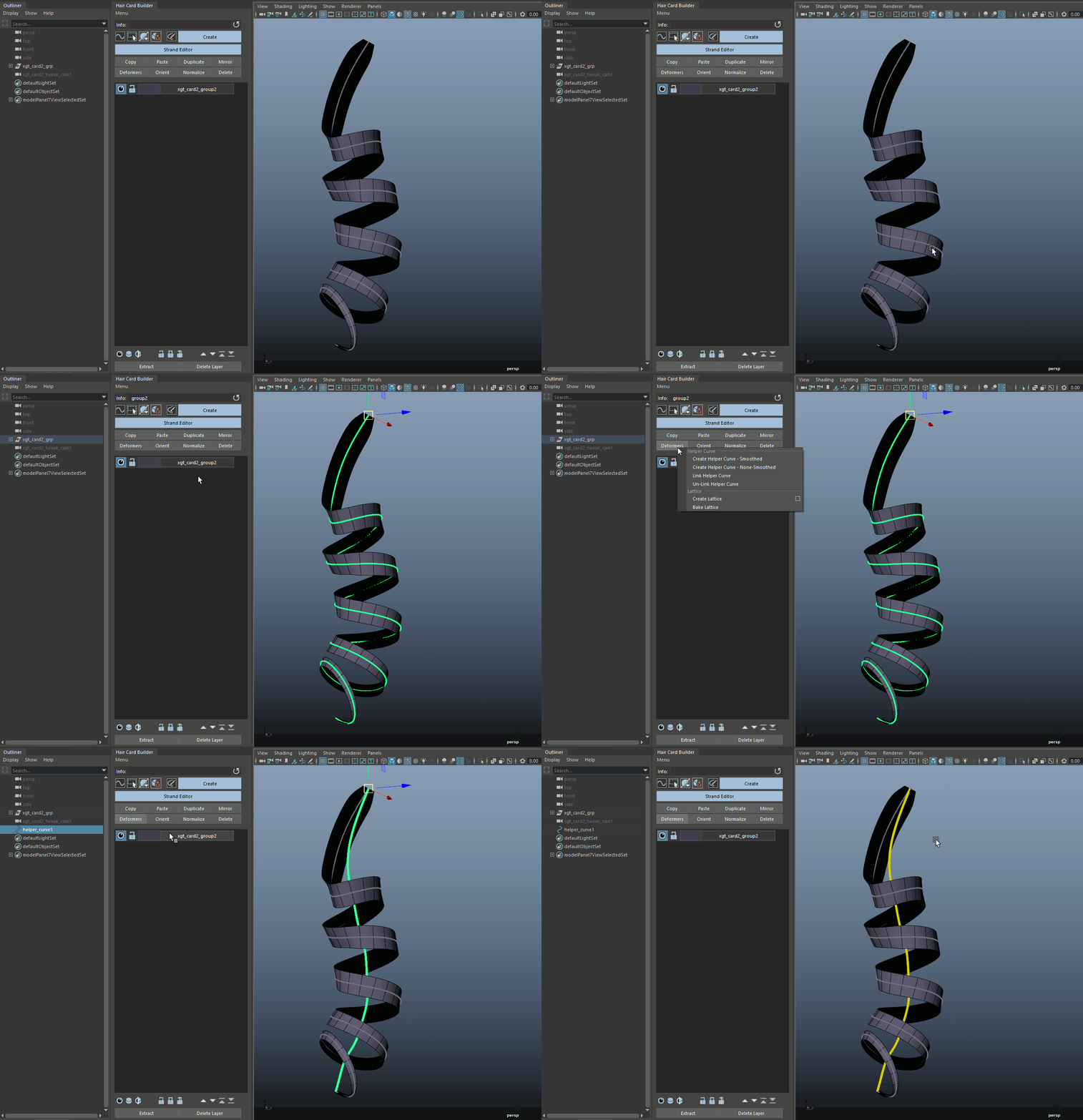
* A helper curve allows you to control multiple strands with one curve.
* Creates an in-between curve from selected strand curves.
* You can choose just one strand curve to create a helper curve as well.
Depending on the shapes of your strand curves, you may want to create a smoothed or unsmoothed helper curve.
### Create Helper Curve - Smoothed
* Creates an in-between curve from selected strand curves.
* You can choose just one strand curve to create a helper curve as well.
* This is best if you have more complicated shaped curves, like a twist, or curly curve. The curly curve can be made with the Curve To Curls tool.
{% hint style="info" %}
Visit to learn more about [Curve to Curls](/maya-groomers-tool/maya-tools/curve-to-proxy-managers/curve-to-curls.md)
{% endhint %}
### Create Helper Curve - None-Smoothed
This option is best for strand curves that are already quite simple to deal with.
{% hint style="info" %}
When a helper curve is created, you do not need to use it as is. Feel free to shape it, or rebuild CVs. You can also create your own helper curves, it's basically just a Maya Nurbs curve.
{% endhint %}
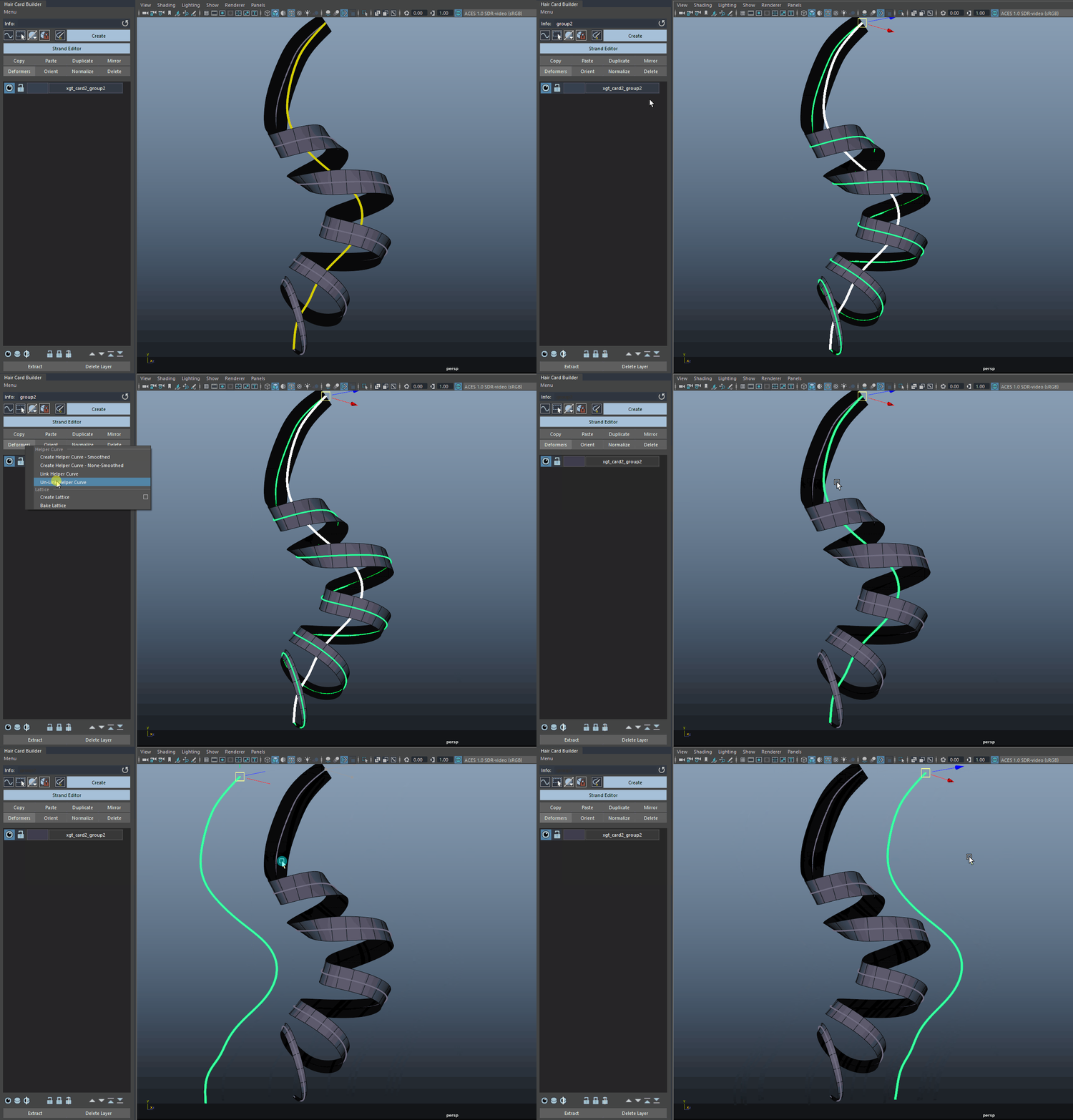
### Link Helper Curve
* Select all the strands, shift select the helper curve, and click Link Helper Curve. Now your strands are linked to that single helper.
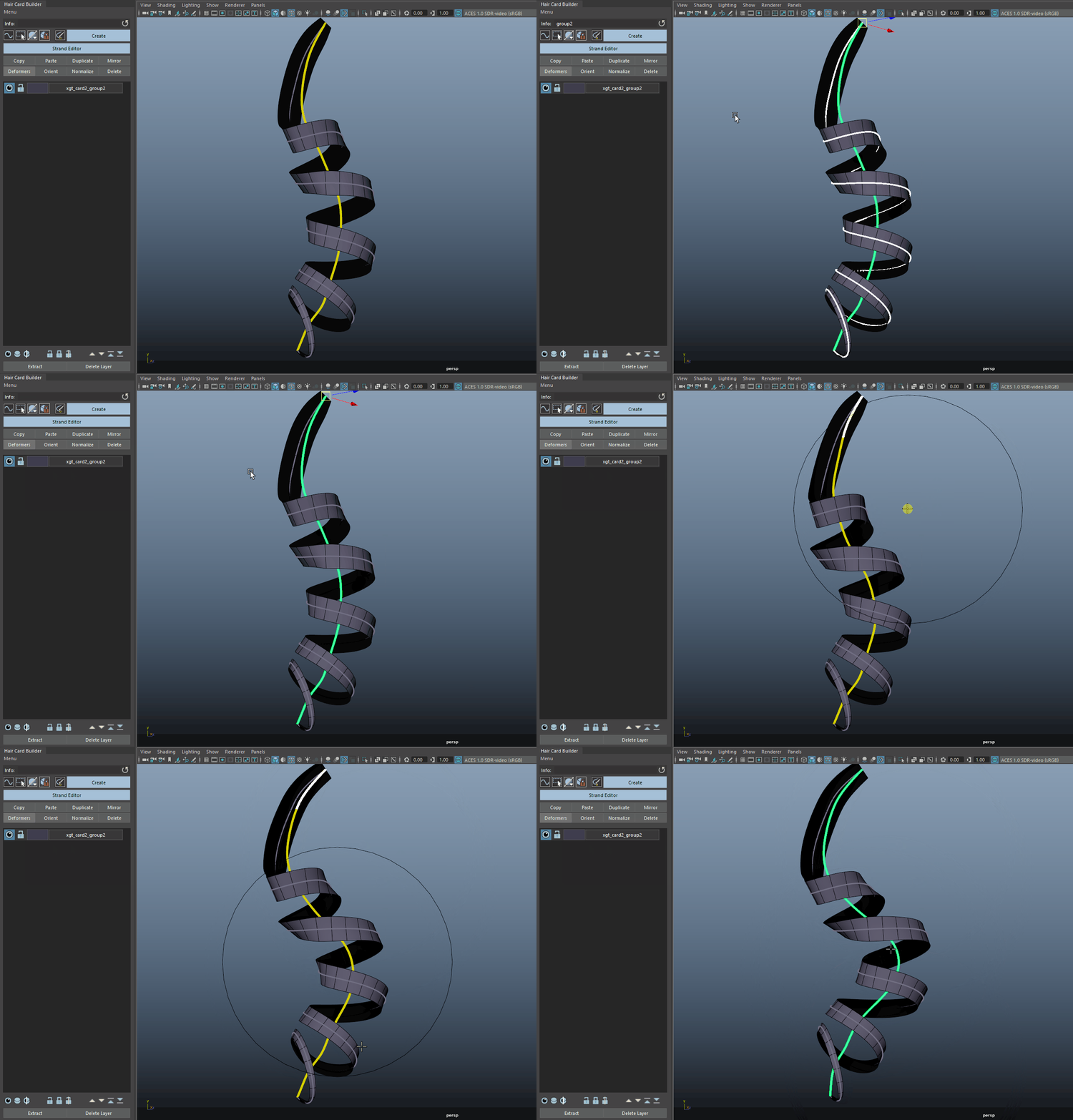
Example of shaping using our Interactive Curve Tool on Helper Curve,
Another example of shaping using our Interactive Curve Tool on Helper Curve
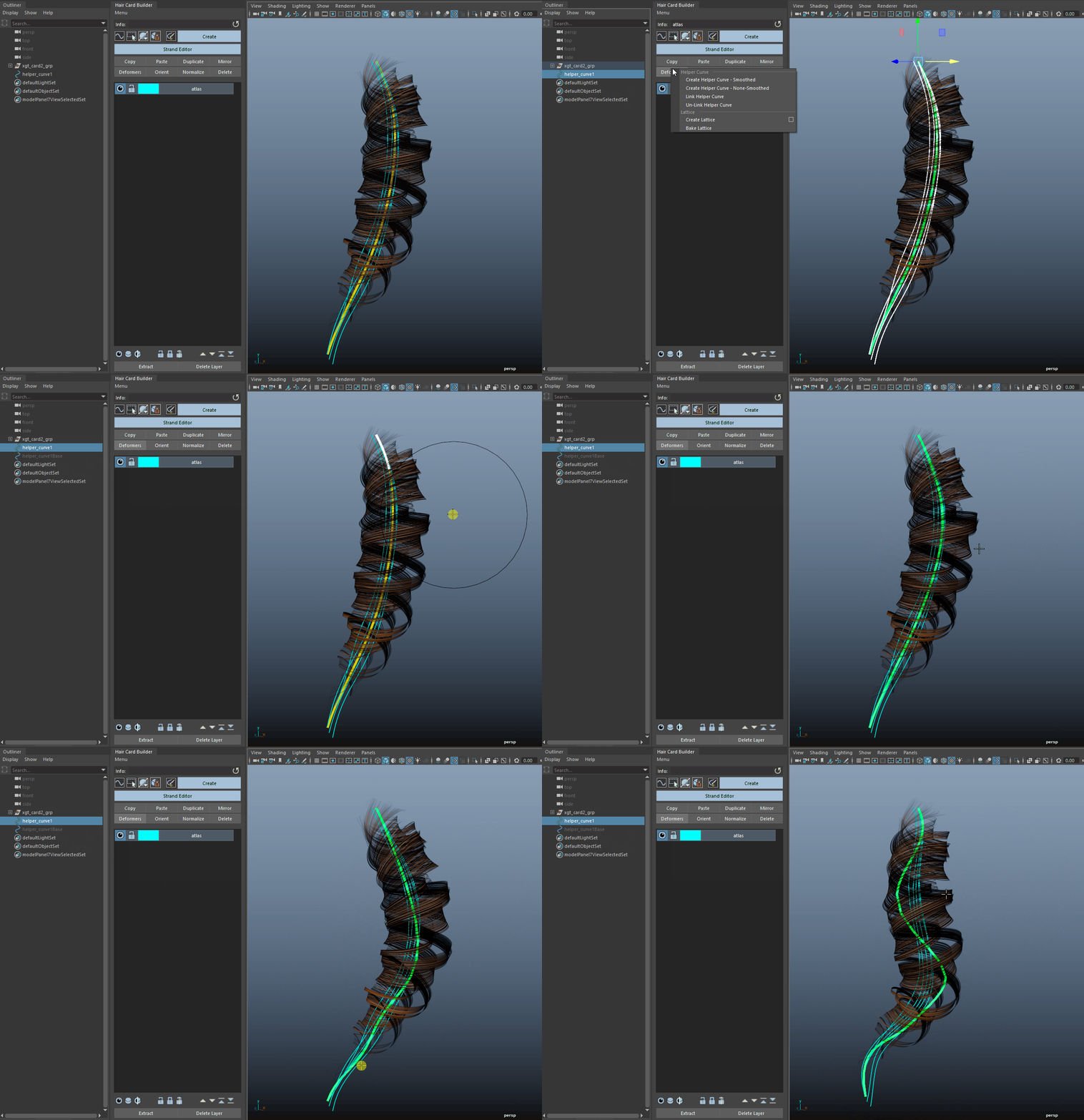
Another example on tubes using Helper Curve
{% hint style="success" %}
You can also choose to save a group of strands linked to a helper curve as an library item.
{% endhint %}
### **Unlink Helper Curve**
* Disconnect the relationship between the helper curve and the connected strands.
* You can hit the delete button on your keyboard to delete the helper curve if you don't need it anymore.
***
## **Lattice**
* The Maya Lattice function enables you to adjust groups of geometries using a 3D grid. To use this tool:
* Select the strand curves (or strand geometry if in geometry selection mode).
* Click on **Lattice - Create** (Or the option box to customize the Lattice).
* Once modifications are complete, select all curves (or strand geometry if in geometry selection mode) and click **Lattice - Bake**.
* If the lattice nodes remain after baking, select them in the outliner and delete them.
***
## Wrap
* Wraps selected strands (select path curves, in curve mode), to a mesh. Then edit the mesh's component to shape those strands.
* Select the strand curves (or strand geometry if in geometry selection mode).
* Click on **Wrap - Create** (Or the option box to customize the Lattice).
* Once modifications are complete, select all curves (or strand geometry if in geometry selection mode) and click **Wrap - Bake**.