> For the complete documentation index, see [llms.txt](https://nobraintools.gitbook.io/maya-groomers-tool/llms.txt). Markdown versions of documentation pages are available by appending `.md` to page URLs; this page is available as [Markdown](https://nobraintools.gitbook.io/maya-groomers-tool/maya-tools/hair-strand-builders/cv-labels-crease-tube-uv-tube-only.md).
# CV Labels/Crease/Tube UV (Tube Only)
## CV Labels
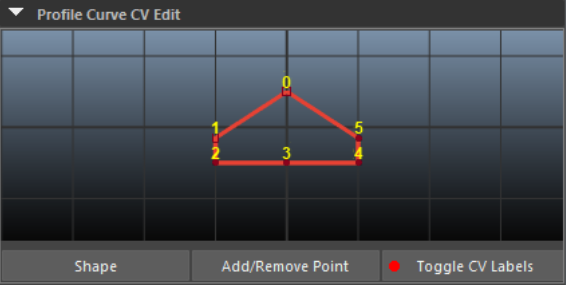
A new **CV Label** feature has been added. Instead of going into component mode, you can now **select directly on the label numbers** to set **creases** or **UV seams** for tubes.
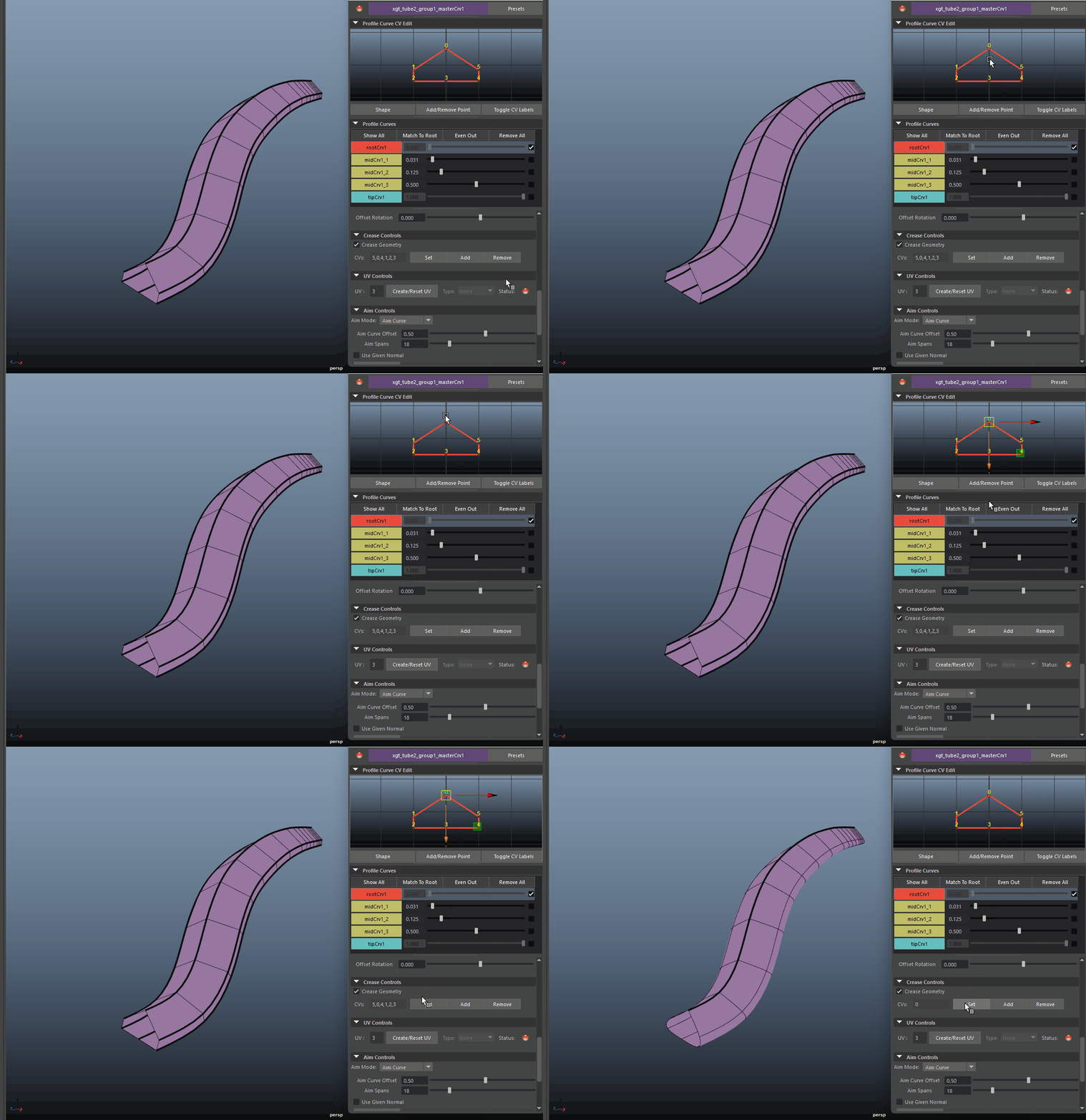
## Set Creases
## UV Seams and Resetting UVs
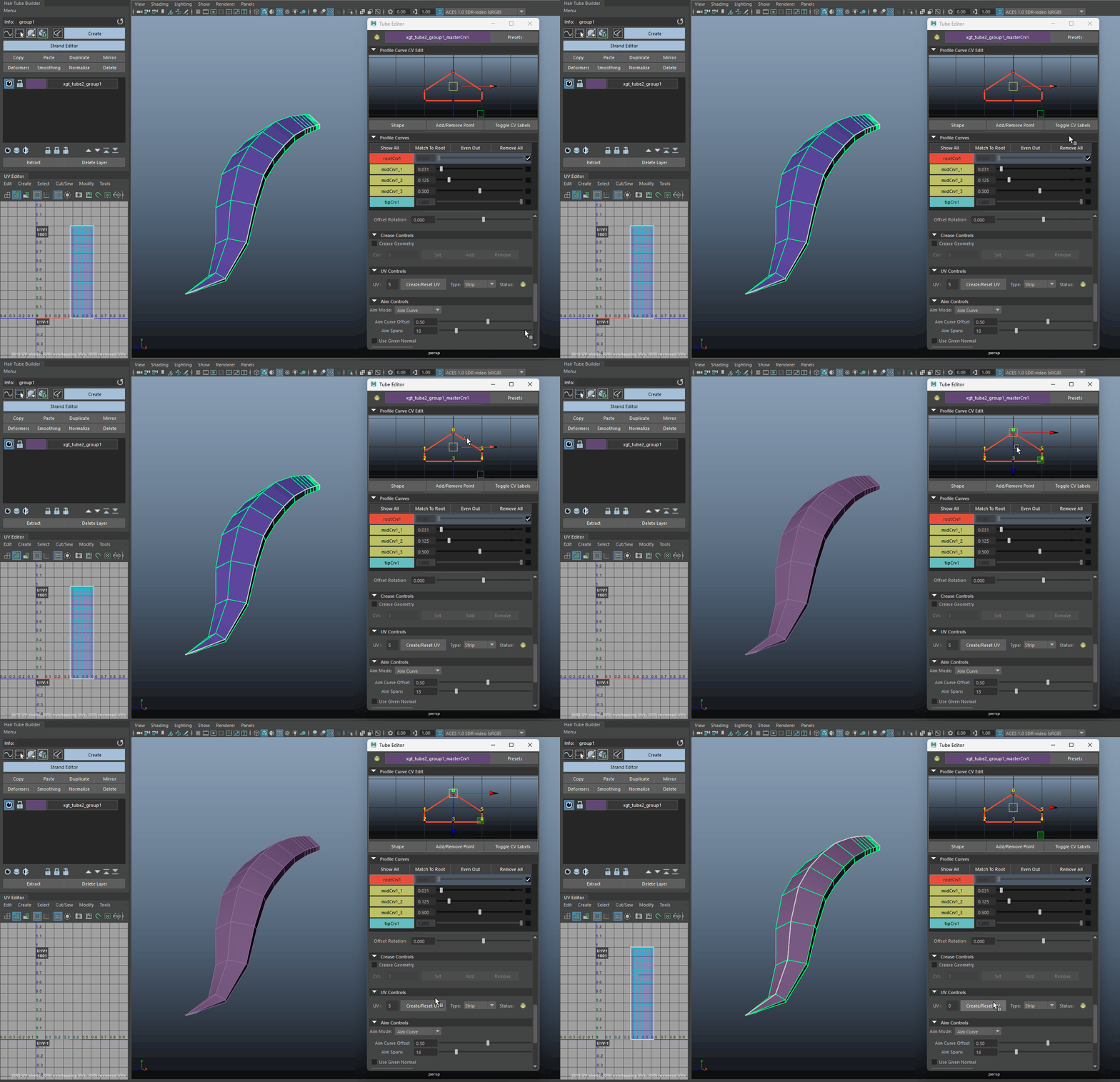
For tubes, if a UV seam need to be changed, you can turn on the Toggle CV Labels, select a CV label, and click on Create/Reset UV.
Notice at the beginning the seam is on the right side '5', we reset it to the middle after selecting the cv label '0'.
{% hint style="warning" %}
Please note, resetting the UV seam will reset your UV
{% endhint %}