> For the complete documentation index, see [llms.txt](https://nobraintools.gitbook.io/maya-groomers-tool/llms.txt). Markdown versions of documentation pages are available by appending `.md` to page URLs; this page is available as [Markdown](https://nobraintools.gitbook.io/maya-groomers-tool/maya-tools/hair-strand-builders/creating-strand-layer.md).
# Creating Strand/Layer
The Strand Builders is a layer based tool, which means that each strand will be associated with a layer. A layer is a Maya Display layer, and it's not visible in the Channel Box.
There are some conditions when you click on the Create button:
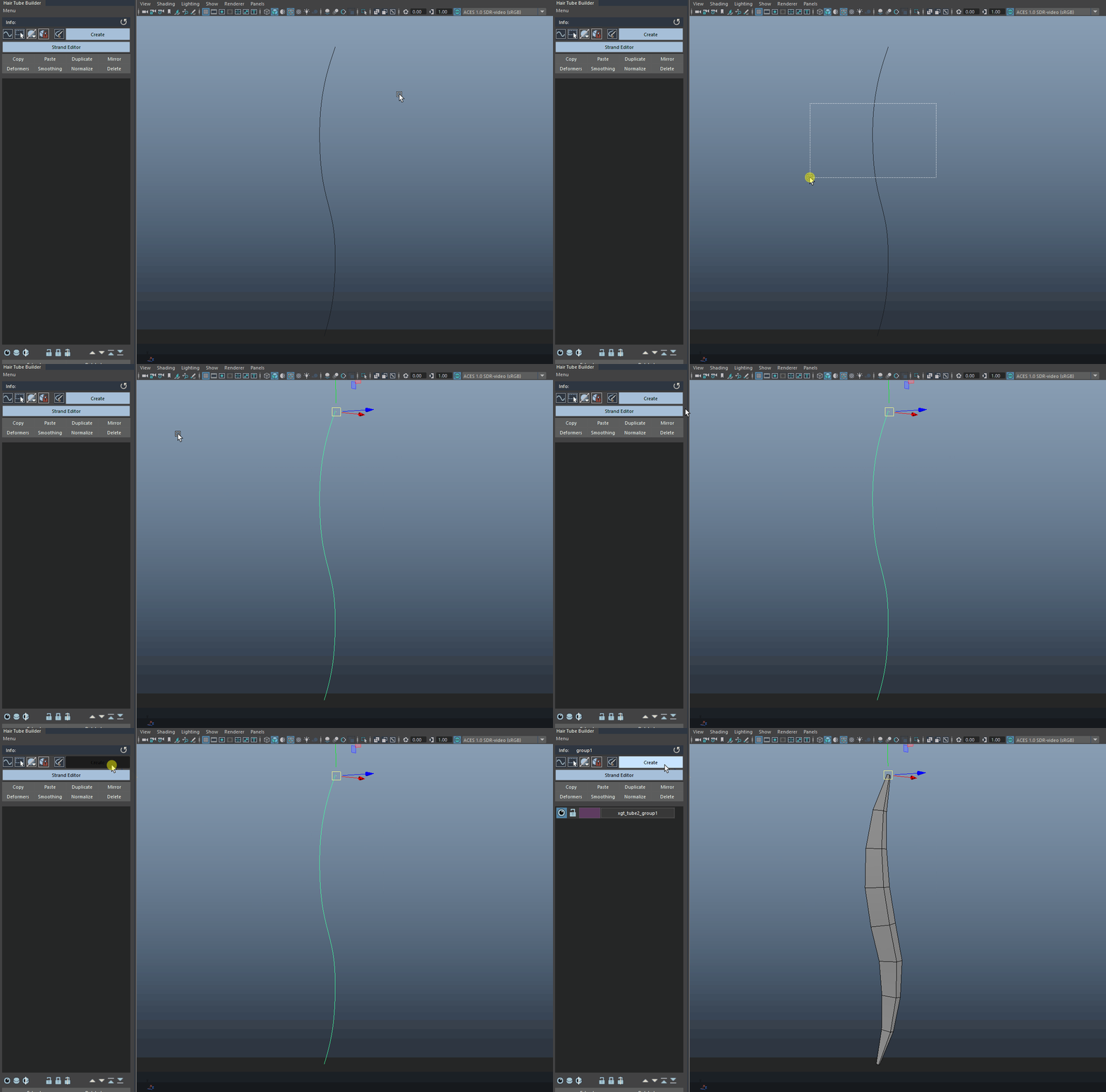
When there one curve selected, clicking on this button will create a new layer and a strand will be created.
{% hint style="info" %}
The original curve hidden away and is not deleted. You can find it hidden in the outliner.
{% endhint %}
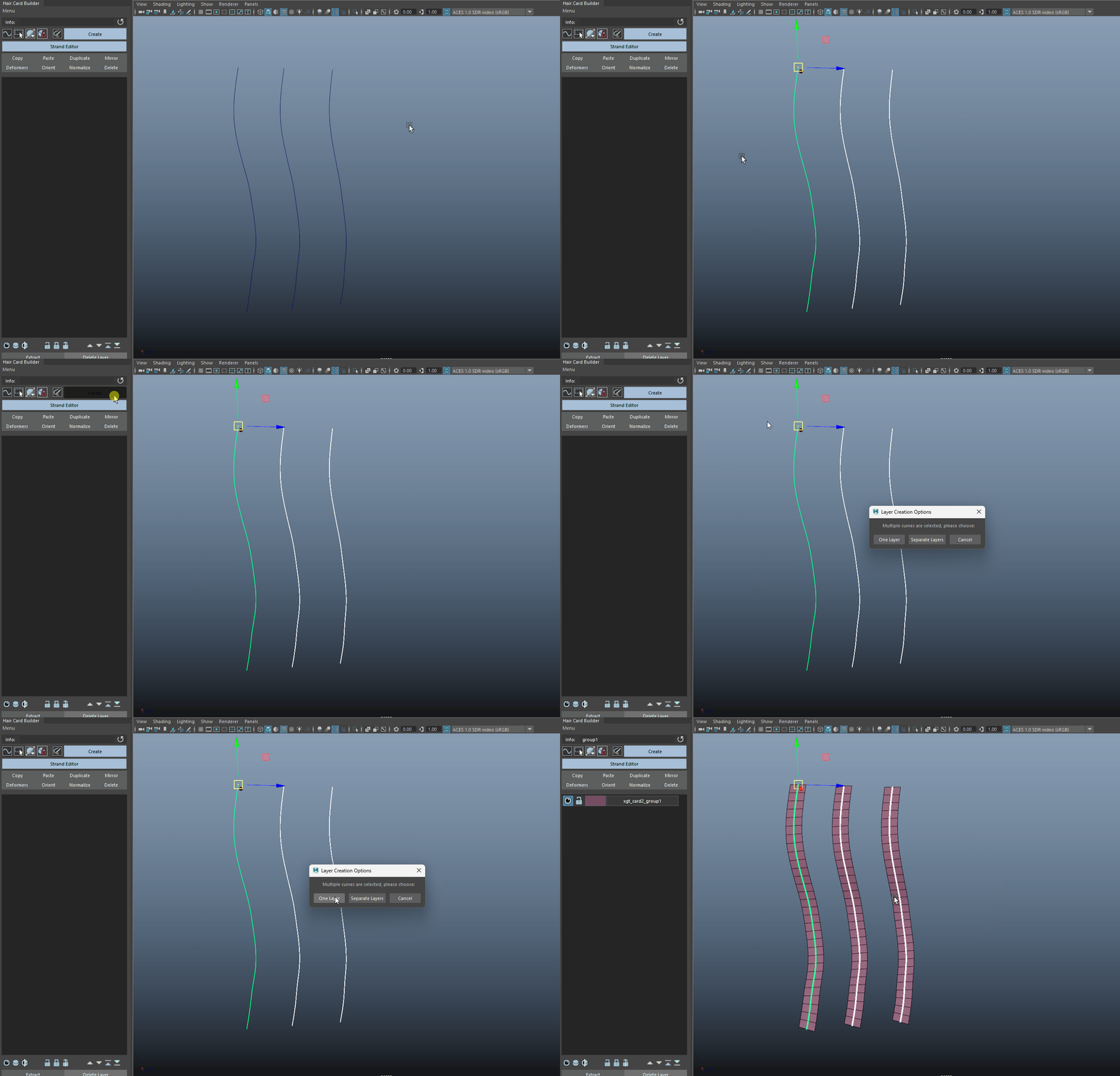
When multiple curve(s) are selected, you will be prompted to choose either create one layer for all curves or, a separate layer for each curve.
* Creating when there are multiple curves selected and choosing One Layer will put all the strands into one layer.
Creating when there are multiple curves selected and choosing One Layer will put all the strands into one layer.
* Creating when there are multiple curves selected and choosing Multiple Layers will put each strand into its own layer.
Creating when there are multiple curves selected and choosing Multiple Layers will put each strand into its own layer.
* When nothing is selected, clicking on this button will create an empty layer.
{% hint style="info" %}
All layers will be named with a prefix "xgt\_tube2\_group#" or "xgt\_card2\_group#", you can rename these layers by hover beside the layer name > Rename Layer
{% endhint %}
***
Whenever a layer is created, whether it's an empty layer or not, a Lambert material with the corresponding name will also be created. Please Do Not rename the shader, the shading engine, or the conditional nodes.
This is where we can assign our texture files to.