# Copy/Paste

## Copy Paste from One Strand

### Copy

* Select a curve (or strand geometry if in geometry selection mode) to copy the setting.

<figure><img src="/files/1dUij63uJr34OXoROgt1" alt=""><figcaption></figcaption></figure>

### **Paste**

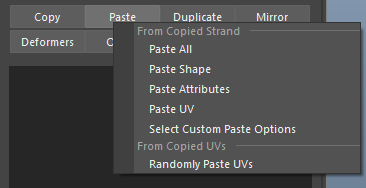
* After a strand or (strands) is copied, '**Left Click**' on the Paste button will display several pasting functions.

<div align="left"><figure><img src="/files/v73loNPe5AhRQjF4wWT3" alt=""><figcaption></figcaption></figure></div>

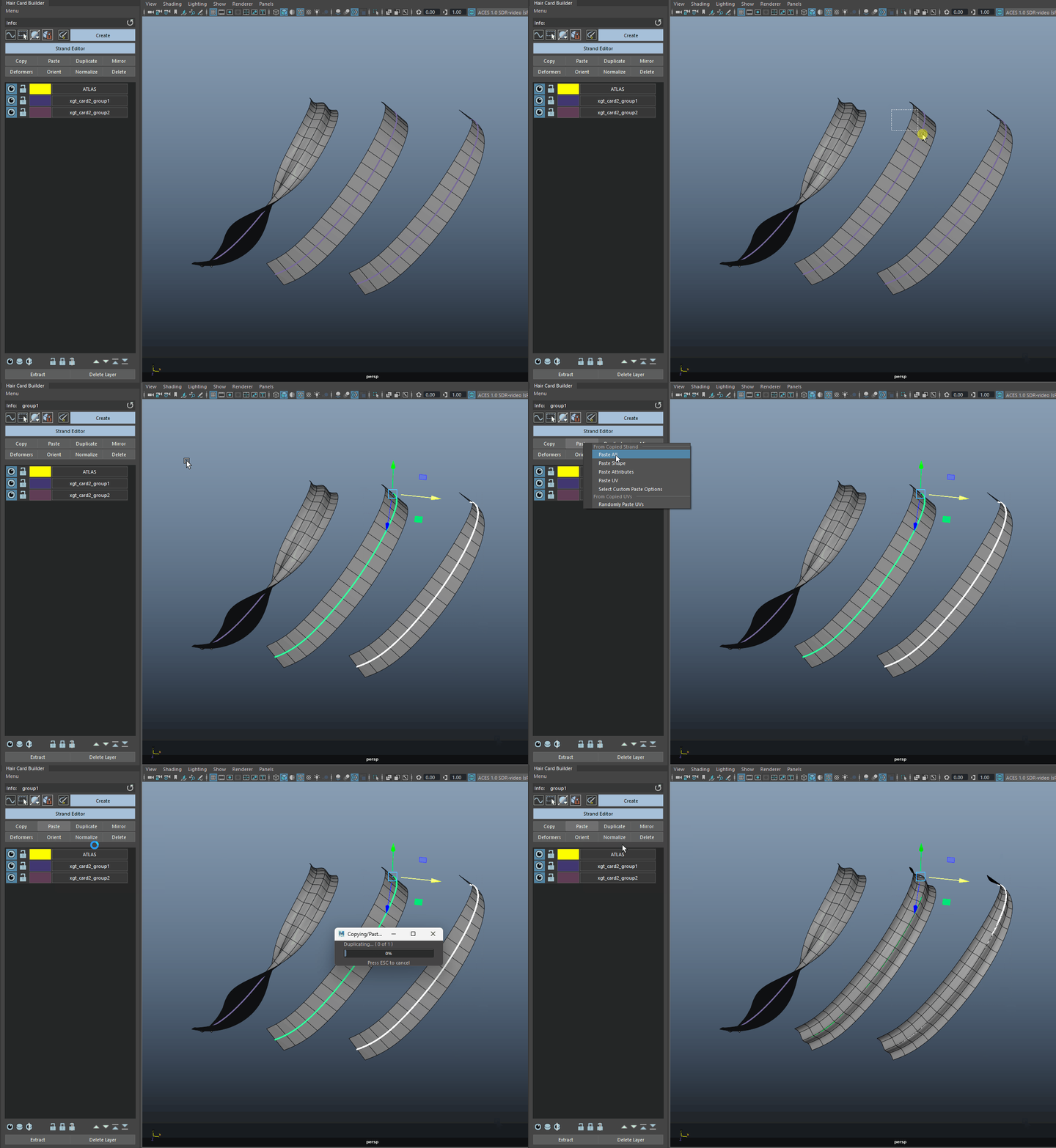
* **Paste All** - will paste every settings from the copied strand.&#x20;

<figure><img src="/files/a20uuu79RsFBpsKkNu2U" alt=""><figcaption><p>Paste All - Notice the aim/rotation setting is not pasted. This is done purposely.</p></figcaption></figure>

{% hint style="info" %}
When pasting, the aim and rotation settings are not included by default to avoid altering the current card orientation. To copy these settings, use "Select Custom Paste Options" and paste the aim or rotation manually.
{% endhint %}

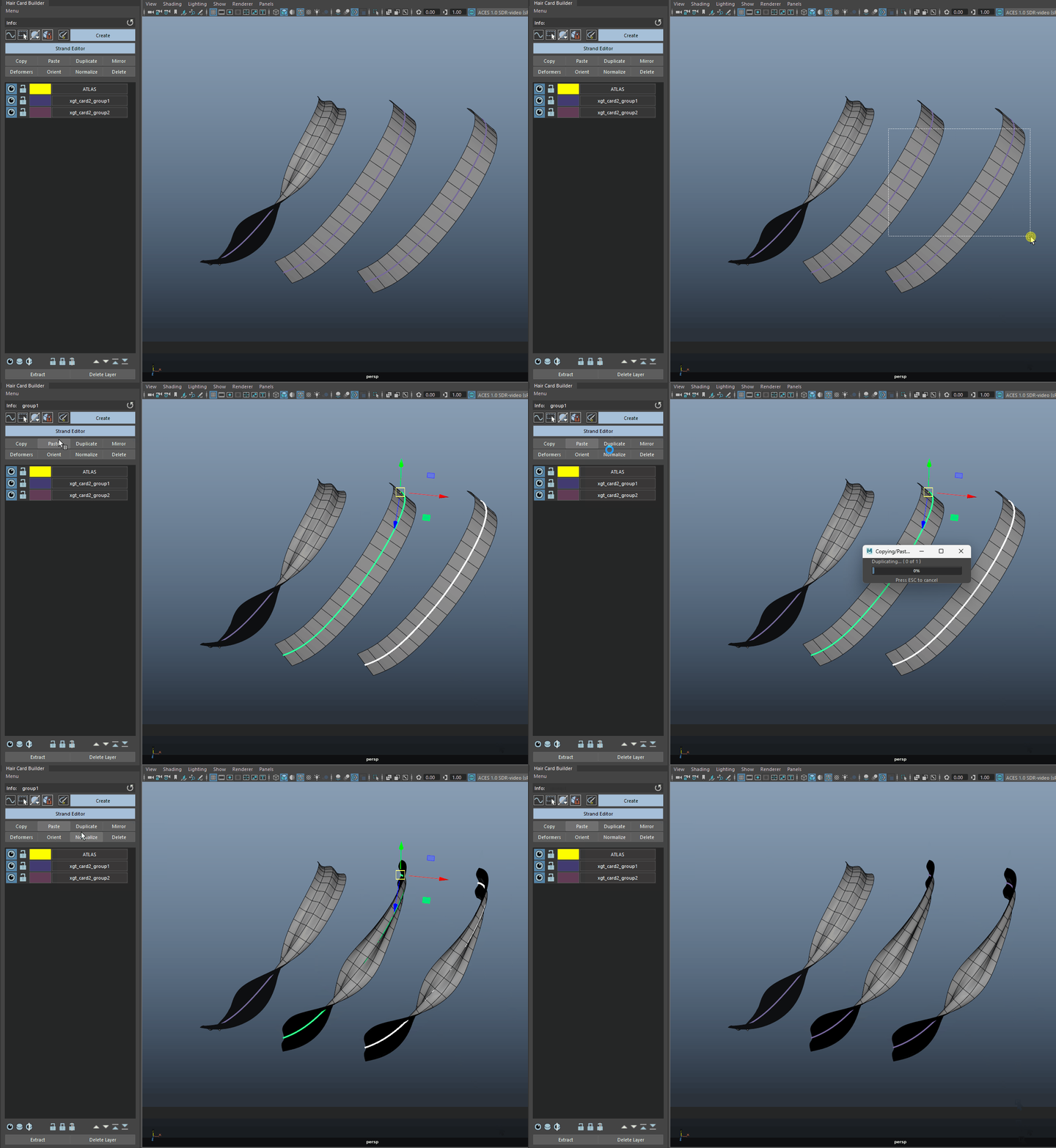
* **Paste Shape** - paste only the profile shapes, and crease (tubes only) settings.

<figure><img src="/files/12BKRinbiatARBjxnuFe" alt=""><figcaption><p>Paste Shape</p></figcaption></figure>

* Paste Attributes - paste only the strand control parameters.

<figure><img src="/files/WOA1z38w6pKWElRJTpAA" alt=""><figcaption><p>Paste Attributes</p></figcaption></figure>

* Paste UV - paste only the UV (and the UVs information).

<figure><img src="/files/aFshStgVTzVTzna8qMaT" alt=""><figcaption><p>Paste UV</p></figcaption></figure>

* Select Custom Paste Options - will open a window and you can choose which parameters to paste.

<figure><img src="/files/z4ZF9cLusYmdgdDtLJ4g" alt=""><figcaption><p>Paste Custom Selected - Here we are pasting only Subdivision, Scale, and the Scale Ramp values. Notice the twist is not copied over</p></figcaption></figure>

{% hint style="info" %}
The "Path Spans" option isn't available and this because pasting spans on curves can cause dramatic change to strand shape (imagine, a curly strands where it needs 30 CVs to hold the shape, and pasting from a strand that only has 5 CVs will cause undesired look).&#x20;
{% endhint %}

## Randomly Paste UVs&#x20;

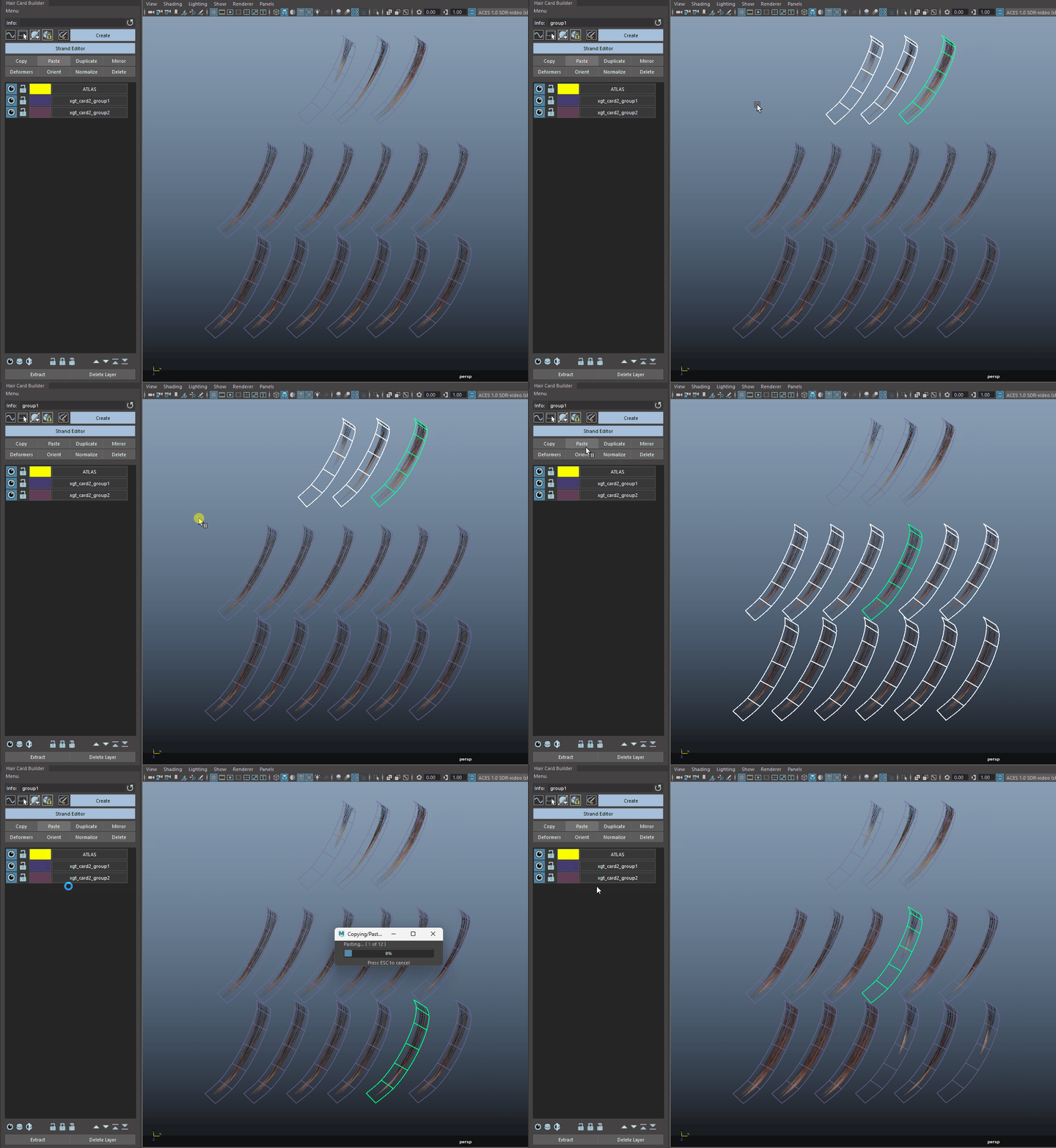
* Select the strands with the UVs you like to include. Click 'Copy' to store their information.
* Then, select all the other strands that you like to randomize UVs on, and select "Randomly Paste UVs".

<figure><img src="/files/lXZ8Nn4BKaqVh26SodCu" alt=""><figcaption></figcaption></figure>

{% hint style="warning" %}
As topology of strands can vary, UV Retaining System is required in this process. When more strands are selected, this may result in slightly longer processing times.
{% endhint %}

<figure><img src="/files/9QKcMhFsuYQgiwfZp42D" alt=""><figcaption></figcaption></figure>


---

# Agent Instructions: Querying This Documentation

If you need additional information that is not directly available in this page, you can query the documentation dynamically by asking a question.

Perform an HTTP GET request on the current page URL with the `ask` query parameter:

```
GET https://nobraintools.gitbook.io/maya-groomers-tool/maya-tools/hair-strand-builders/copy-paste.md?ask=<question>
```

The question should be specific, self-contained, and written in natural language.
The response will contain a direct answer to the question and relevant excerpts and sources from the documentation.

Use this mechanism when the answer is not explicitly present in the current page, you need clarification or additional context, or you want to retrieve related documentation sections.